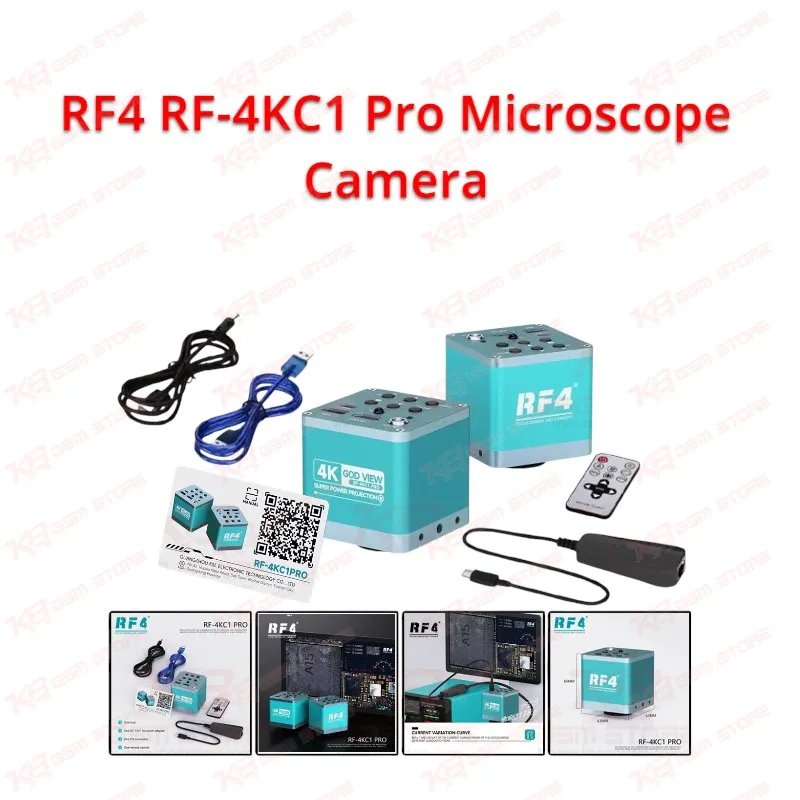
Most technicians in Pakistan lose time on one problem: they see the fault on the board but cannot see what the phone draws while they touch it, so they switch between the microscope, a DC power supply, and a notebook. The RF4 RF-4KC1 Pro Microscope Camera puts both views on one screen. It records the microscopic image in 4K Ultra HD (3840x2160 at 30fps) and plots the current change trend of the device under different load conditions as a live curve. Your dead phone, boot loop issue, or charging issue then shows two clues at once, the physical damage under the lens and the electrical behavior in the curve. The camera uses a 1/2.8-inch sensor and pushes 4K at 30fps out of its HDMI port. Connect a monitor that accepts 3840x2160 or 1920x1080 and you see the solder joints, flux residue, lifted pads, and hairline cracks around a component at a size you can judge without eye strain. You mount the camera on your trinocular stereo microscope through the C/CS lens interface, and the trinocular head keeps your eyepiece view free while the monitor shows the same work. Many repair benches still run a basic 1080p camera, and that limits what you spot before you commit a hot air station to a chip. With the RF4 RF-4KC1 Pro Microscope Camera on the tube, you read tiny markings on a PMIC, check pad condition after IC change karna, and confirm ball alignment during reballing on a screen big enough for two technicians to share. A USB port lets the camera work as a UVC camera on your computer, so you also capture the image for job records, training sessions, or customer proof. You store photos and video on a USB disk of up to 64GB. Photos save as 8 million pixel JPG files, and video saves as 3840x2160 AVI files. A file manager lets you find and play back earlier captures without a PC. You run the camera with buttons on the unit or with the included remote control, which keeps your hands on the tweezers and the soldering iron instead of the menu. The current curve is the reason this model earns its place next to your other diagnostic gear. When you power a board from your supply, the curve shows how the current rises, holds, or jumps as the phone moves from standby to load. A short circuit, a leaky capacitor, or a half-alive board that hangs on logo leaves a different trace than a healthy board. You compare that trace with what you see under the lens, then decide where to put your probe, your multimeter, or your hot air nozzle. A cross curve of 8x8 groups helps you line up the display and read the change more precisely. Pair this workflow with your Multimeters, Soldering Stations, and Hot Air Stations and you cut the guesswork out of hardware fault diagnosis. The camera fits a wide range of shop jobs. Motherboard repair on Samsung, Oppo, Vivo, Infinix, Tecno, and iPhone boards all involve small components, tight pitch, and fine solder work, and a sharp 4K image helps on every one of them. You inspect the board before you start, watch the rework while you solder, and check the result before you close the phone. During ISP wiring on eMMC and UFS repair, you see the tiny test points clearly, which reduces the chance of a bridged pad or a lifted trace. Service centers use the same setup to document a repair from the first inspection to the final test. Training institutes mount the camera on a demonstration microscope and let a full class watch a soldering process live on a large screen. Buying a camera that fits your existing microscope matters as much as the image quality. The C/CS interface accepts common lens and adapter setups, and the HDMI and USB outputs cover both standalone monitor use and computer use. Check your microscope's camera port and adapter before you order so the tube, the adapter, and the camera line up. For a complete inspection station, add PCB Holders, Reballing Kits, and Microscopes from the KB GSM Store catalog, and keep ISP Pinout Tools, eMMC Programmers, UFS Adapters, and Test Boxes near your bench for the software side of the job. Power comes from the included 12V DC adapter. Connect the adapter, switch it on, and the host indicator glows green for about ten seconds while the camera starts. Then connect your monitor by HDMI, add the USB connection if you want computer capture, insert your storage, and begin work. The package includes the camera, the power adapter, an FIS connector, and a remote control. If your repair shop wants sharper diagnostics, faster fault finding, and cleaner documentation on every board, the RF4 RF-4KC1 Pro Microscope Camera gives you a 4K view and a live current trace in one compact unit.